xgaming.hosting
5,000+ Plugins Available

Rust Server Hosting

Rust server hosting with 5,000+ Oxide/Carbon plugins, up to 200-player capacity, automated wipe scheduling, custom map support (RustMaps, procedural, Hapis, Craggy, Barren), visual server.cfg editor, and Ryzen 9 7950X/9950X CPUs that maintain stable tick rates during 150-slot prime-time raids.

Up to 200 players
5,000+ Oxide/Carbon plugins
Visual server.cfg editor
Custom maps (RustMaps)
Automated wipe scheduling
DDoS protection
Ryzen 9 7950X / 9950X
Get Started

Packages

30% off first monthcode XGAMEON
Starter
200% CPU · 35 GB NVMe
$7$10
first month · then $10/mo
RAM: 4 GB
  • Ryzen 9 cores
  • DDoS protection
  • Modern control panel
  • Daily backups
Order now
Novice
200% CPU · 40 GB NVMe
$10.50$15
first month · then $15/mo
RAM: 6 GB
  • Ryzen 9 cores
  • DDoS protection
  • Scheduled tasks
  • Daily backups
  • Free subdomain
Order now
Rookie
300% CPU · 60 GB NVMe
$14$20
first month · then $20/mo
RAM: 8 GB
  • Ryzen 9 cores
  • DDoS protection
  • Scheduled tasks
  • Daily backups
  • Free subdomain
  • Mod installer
Order now
Most Popular
Pro
400% CPU · 80 GB NVMe
$21$30
first month · then $30/mo
RAM: 12 GB
  • Ryzen 9 priority CPU
  • DDoS protection
  • Scheduled tasks
  • Hourly backups
  • Free subdomain
  • Mod installer
Order now
ProMax
600% CPU · 100 GB NVMe
$31.50$45
first month · then $45/mo
RAM: 16 GB
  • Ryzen 9 priority CPU
  • DDoS protection
  • Hourly backups, 7-day retention
  • Priority support
  • Free subdomain
  • Database add-on ready
Order now
Ultimate
800% CPU · 120 GB NVMe
$42$60
first month · then $60/mo
RAM: 24 GB
  • Dedicated CPU share
  • Hardware DDoS mitigation
  • Hourly backups, 14-day retention
  • Priority support
  • Dedicated IPv4 (optional)
  • Cluster-ready
Order now
Control Panel

Run your server without the terminal

Our modified Pterodactyl panel gives you everything you need to manage a dedicated game server from any device.

panel.xgamingserver.com / dashboard
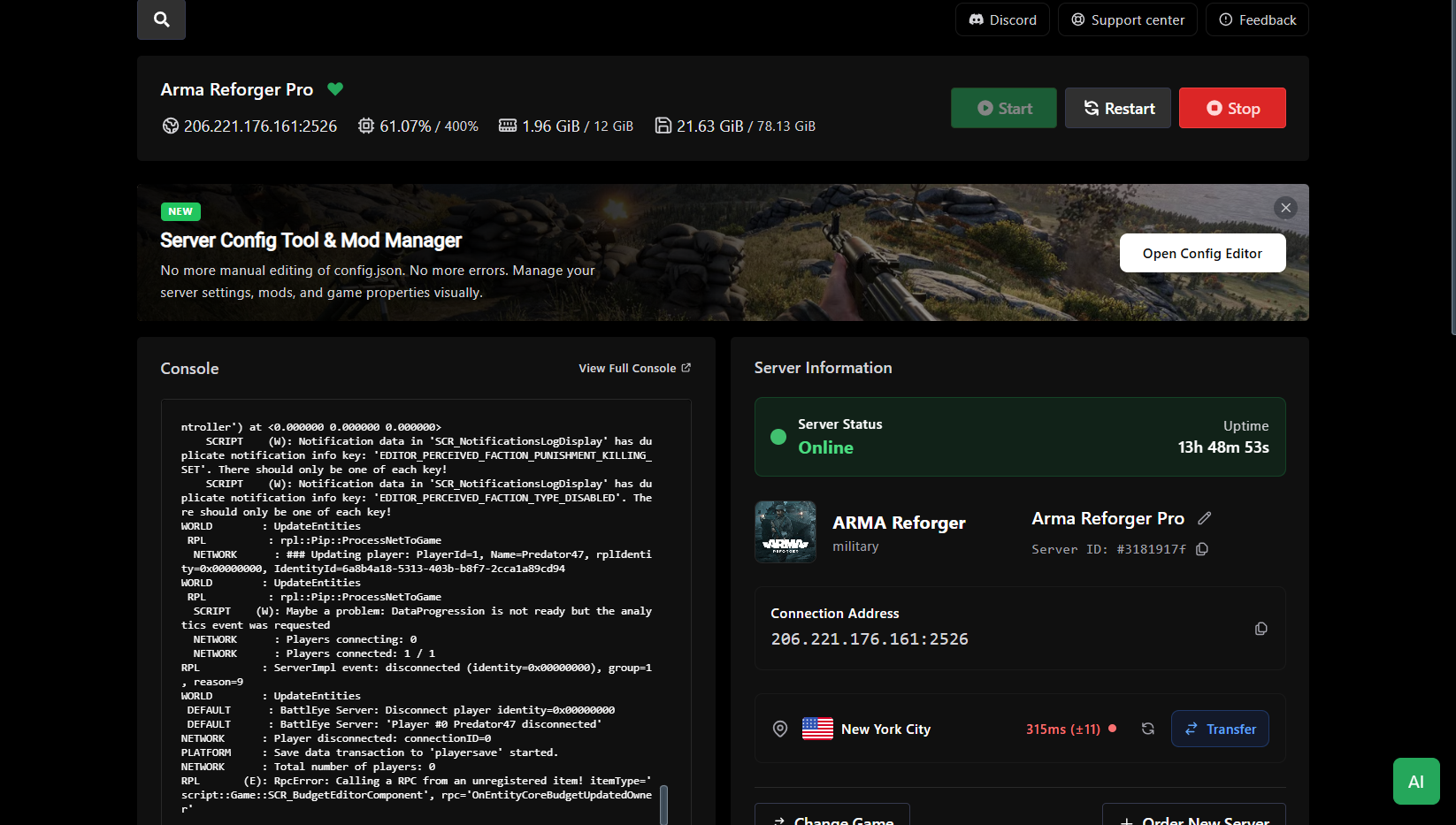
Dashboard — XGamingServer control panel screenshot

A dashboard built for game server admins

Every server you run, on one screen. Live CPU, RAM, network, and player counts update in real time — no refresh, no terminal, no hunting through tabs. Start, stop, or restart any instance with a single click.

  • Live CPU, RAM, disk, and network graphs
  • Player counts and uptime per server
  • One-click start, stop, restart, or kill
  • Status badges: online, offline, starting, crashed
Locations

Low ping, anywhere

13 data centers across 5 continents. Pick the location closest to your players at checkout — switch anytime.

North America4
  • New YorkUnited States
  • DallasUnited States
  • Los AngelesUnited States
  • MontrealCanada
Europe5
  • LondonUnited Kingdom
  • FrankfurtGermany
  • AmsterdamNetherlands
  • WarsawPoland
  • StockholmSweden
Asia2
  • SingaporeSingapore
  • TokyoJapan
Oceania1
  • SydneyAustralia
South America1
  • São PauloBrazil
About the game

About Rust

Rust is Facepunch's long-running PvP survival phenomenon — and one of the most hardware-punishing games on PC. You spawn naked, build a base, gather resources, and defend what you have against everyone else on the server. Monthly forced wipes keep the meta fresh; biweekly wipes are community standard. PC Rust supports up to 200 players on a single server; larger communities cluster multiple servers.

Rust's modding scene is huge and mature. Oxide (uMod) has been the standard for years with thousands of plugins; Carbon is the newer, faster alternative with better performance and broad Oxide plugin compatibility. Our Rust template installs either with one click. Workshop map support covers procedural maps (default), hand-crafted maps (Hapis, Craggy, Barren), and community custom maps uploaded via RustMaps.com or shared .map files.

Rust is the single most CPU-demanding survival server we run. AI, projectile simulation, base decay, entity counts, and plugin execution all tick on the main thread — which will saturate a single core on anything slower than a top-tier Ryzen chip. Our 7950X / 9950X nodes stay stable during 150-slot raid-night scenarios where communities raid each other simultaneously. RAM: 16 GB for 100-slot servers, 24–32 GB for full 200-slot wipes with plugin stacks.

200
Max players
PC
Platforms
Oxide · Carbon
Frameworks
Oxide vs Carbon

Plugin Frameworks

Carbon (Recommended)

Carbon is the modern Rust plugin framework with 30-40% faster plugin execution than Oxide, better memory management, and 95%+ API compatibility with existing Oxide plugins. Recommended for all new servers.

30-40% faster execution
Better memory management
95%+ Oxide plugin compatibility
Modern C# API

Oxide (uMod)

Oxide has been the Rust plugin standard since 2014 with thousands of plugins. Still supported for legacy servers with non-ported plugins. Mature ecosystem but slower performance than Carbon.

Thousands of legacy plugins
Mature, proven framework
Large developer community
Full backward compatibility

Both frameworks are available with one-click installation from the panel. Switch between Oxide and Carbon anytime—your server configuration and most plugins remain compatible. Popular plugins work on both: ZoneManager, Economics, GUIShop, Kits, Clans, Teleportation, Raid Tracker, and Auto Doors.

The panel's plugin browser includes 5,000+ Oxide/Carbon plugins with automatic dependency resolution, conflict detection, and update notifications. Pre-configured plugin bundles available for PvP servers (raid tools, clan systems, teleportation), PvE servers (building protection, NPC vendors, kits), and RP servers (economics, jobs, custom NPCs).

Maps & Wipe Cycles

Server Configuration

Custom Maps

Support for procedural maps (default with custom seeds), hand-crafted maps (Hapis Island, Craggy Island, Barren), and community maps from RustMaps.com. Paste a RustMaps URL or upload .map files directly. Visual map size selector (1000-6000 units).

Automated Wipes

Facepunch forces map wipes on the first Thursday of each month. Community standard: biweekly or weekly wipes. Schedule automated wipes from the panel: wipe map only, reset blueprints (or keep), restart server, and post to Discord webhook. One automated task handles everything.

Visual Settings Editor

Visual server.cfg editor with GUI controls for server identity, description, header image, map size, seed, world type, tickrate, save interval, player cap, PVP toggle, decay settings, radiation, and admin authentication. No manual file editing required.

CPU & RAM Requirements

Server Performance

Rust is the single most CPU-demanding survival server in the industry. The main thread handles AI (scientists, animals, NPCs), projectile simulation (every bullet, rocket, arrow), physics (ragdolls, explosions, building destruction), base decay calculations, entity counts (deployed items, building parts), and all plugin execution from Oxide/Carbon.

Single-thread CPU performance is the critical bottleneck—Rust's game loop doesn't scale well across multiple cores. High clock speeds and large L3 cache matter more than core count. Our Ryzen 9 7950X and 9950X processors maintain stable tick rates during 150-slot prime-time raid nights where budget CPUs start visibly hitching and lagging.

RAM requirements scale with player count and plugin complexity. Small vanilla servers need 8-12GB. Medium 50-100 slot modded servers benefit from 16GB. Full 150-200 slot wipe-day servers with heavy plugin stacks (economics, shop systems, clan management, teleportation, auto-events) require 24-32GB to prevent out-of-memory crashes.

50-75 Players (Vanilla/Light Mods)12-16 GB

Standard plan. Small community servers, minimal plugins, monthly wipes.

100-150 Players (Modded)16-24 GB

Pro plan. Medium communities with 50-100 plugins, biweekly wipes, active clans.

150-200 Players (Heavy Plugins)24-32 GB

Dedicated plan. Full 200-slot servers, extensive plugin stacks, weekly wipes, large-scale raids.
Testimonials

What server owners say

200-slot server running flawlessly. Zero lag during massive clan raids. The Ryzen 9 CPUs are no joke.
Alex M.
Clan Leader
Visual server.cfg editor saved us hours. Map changes, wipe scheduling, everything in the GUI.
Jamie T.
Server Admin
Carbon framework with 100+ plugins. Performance is 40% better than our old Oxide setup.
Chris R.
Community Owner
FAQs

Frequently asked questions

How many Rust plugins are available?+

Over 5,000+ Oxide/Carbon plugins available including ZoneManager, Economics, GUIShop, Kits, Clans, Teleportation, Raid Tracker, and Auto Doors. One-click installation via the panel's plugin browser with automatic dependency resolution and update notifications. Popular plugin bundles (PvP, PvE, RP) pre-configured.

Can I customize server.cfg settings visually?+

Yes. The panel includes a visual server.cfg editor with controls for: server identity, description, URL, header image, map size (1000-6000), seed, world type, tickrate, save interval, player cap, PVP toggle, decay settings, radiation, and admin authentication. No manual file editing required unless you want advanced customization.

Oxide or Carbon — which do you support?+

Both, one-click installation. Carbon is recommended for new servers — API-compatible with 95%+ of Oxide plugins, 30-40% faster plugin execution, and better memory management. Oxide/uMod still supported for legacy servers with non-ported plugins. Switch between frameworks anytime from the panel.

How many players can my Rust server hold?+

200-player official cap. Practical performance limits: 50-75 players on Standard plans, 100-150 on Pro, 150-200 on Dedicated with 24-32GB RAM and Ryzen 9 CPUs. Communities needing 200+ concurrent players run clustered servers with shared data/teleportation via Oxide/Carbon clustering plugins.

How do wipe cycles work?+

Facepunch pushes forced map wipes on the first Thursday of each month. Biweekly or weekly wipes are community convention. The panel has scheduled-task automation for wipes: wipe map, reset BP (or not), restart, post to Discord — all one task.

Do you support RustMaps and custom maps?+

Yes. Paste a RustMaps URL or upload a .map file via the panel; we configure the server.cfg level.url parameter. Procedural maps with custom seeds work identically.

Is Rust Console Edition supported?+

No. Rust Console Edition is a completely separate game with no PC crossplay and no third-party server hosting. We run PC Rust only.

Why is Rust so CPU-hungry?+

Rust's main thread handles AI, projectiles, physics, base decay, and all plugin execution — and it scales poorly with core count. Single-thread performance and large L3 cache (7950X3D shines here) are the bottleneck. Budget CPUs tick-hitch at 50+ slots.

Related Game Servers

Explore other popular game server hosting options