xgaming.hosting
Node.js · Python · Java · Bun

Discord Bot Hosting

Reliable 24/7 Discord bot hosting for discord.js, discord.py, JDA, and every other library. Instant deploys, auto-restart on crash, git-push deploys, and encrypted env vars — on the same dedicated infrastructure we run game servers on.

  • ✓ 24/7 uptime
  • ✓ Auto-restart on crash
  • ✓ Git deploy
  • ✓ Encrypted env vars
  • ✓ All major runtimes
  • ✓ MariaDB / Redis add-ons

Discord bot hosting plans

Per-bot pricing based on RAM. All plans include auto-restart, 24/7 uptime, daily backups, and any runtime you want.

30% off first monthcode XGAMEON
Starter
200% CPU · 35 GB NVMe
$7$10
first month · then $10/mo
RAM: 4 GB
  • Ryzen 9 cores
  • DDoS protection
  • Modern control panel
  • Daily backups
Order now
Novice
200% CPU · 40 GB NVMe
$10.50$15
first month · then $15/mo
RAM: 6 GB
  • Ryzen 9 cores
  • DDoS protection
  • Scheduled tasks
  • Daily backups
  • Free subdomain
Order now
Rookie
300% CPU · 60 GB NVMe
$14$20
first month · then $20/mo
RAM: 8 GB
  • Ryzen 9 cores
  • DDoS protection
  • Scheduled tasks
  • Daily backups
  • Free subdomain
  • Mod installer
Order now
Most Popular
Pro
400% CPU · 80 GB NVMe
$21$30
first month · then $30/mo
RAM: 12 GB
  • Ryzen 9 priority CPU
  • DDoS protection
  • Scheduled tasks
  • Hourly backups
  • Free subdomain
  • Mod installer
Order now
ProMax
600% CPU · 100 GB NVMe
$31.50$45
first month · then $45/mo
RAM: 16 GB
  • Ryzen 9 priority CPU
  • DDoS protection
  • Hourly backups, 7-day retention
  • Priority support
  • Free subdomain
  • Database add-on ready
Order now
Ultimate
800% CPU · 120 GB NVMe
$42$60
first month · then $60/mo
RAM: 24 GB
  • Dedicated CPU share
  • Hardware DDoS mitigation
  • Hourly backups, 14-day retention
  • Priority support
  • Dedicated IPv4 (optional)
  • Cluster-ready
Order now
Control Panel

Run your server without the terminal

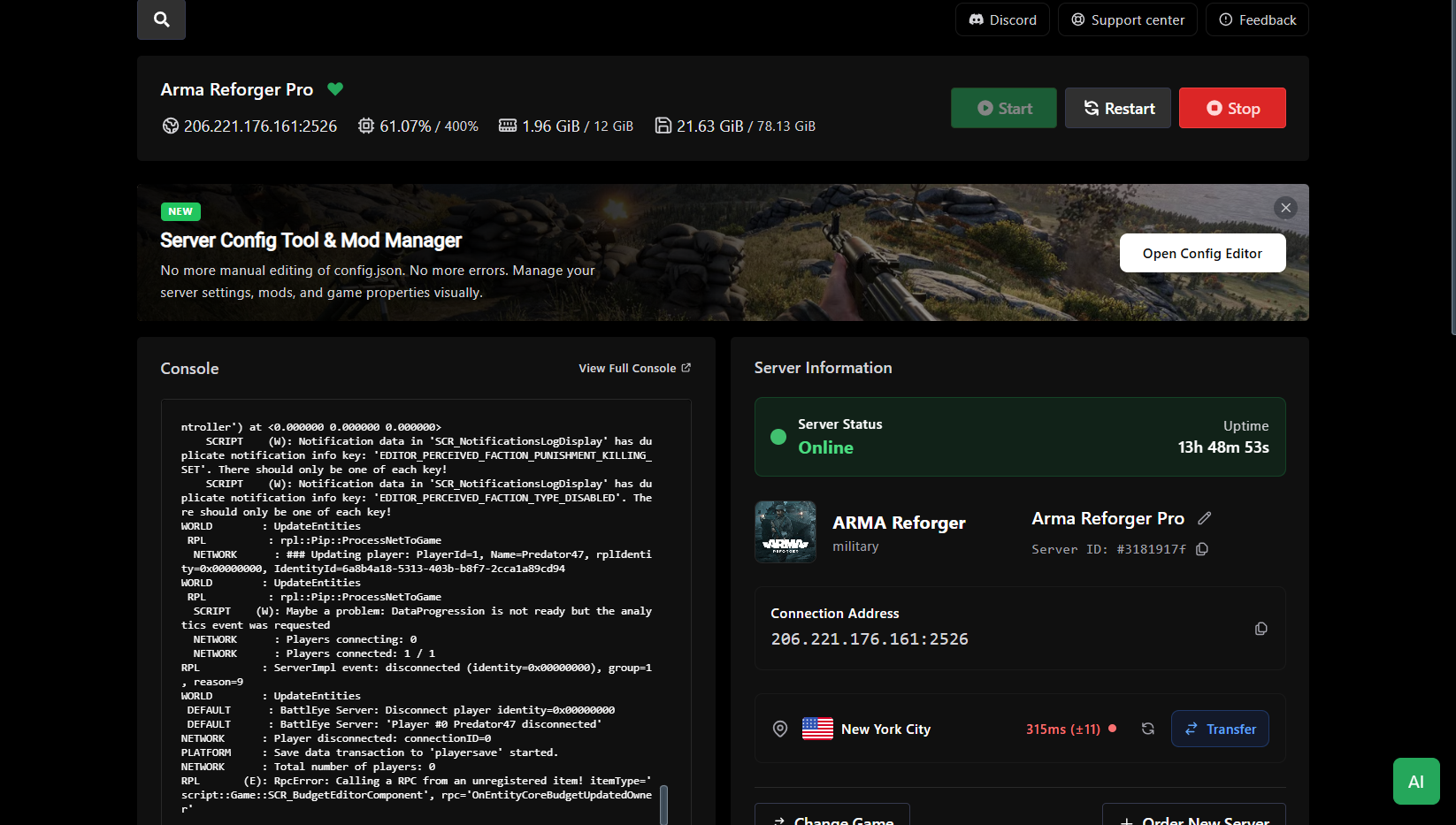
Our modified Pterodactyl panel gives you everything you need to manage a dedicated game server from any device.

panel.xgamingserver.com / dashboard
Dashboard — XGamingServer control panel screenshot

A dashboard built for game server admins

Every server you run, on one screen. Live CPU, RAM, network, and player counts update in real time — no refresh, no terminal, no hunting through tabs. Start, stop, or restart any instance with a single click.

  • Live CPU, RAM, disk, and network graphs
  • Player counts and uptime per server
  • One-click start, stop, restart, or kill
  • Status badges: online, offline, starting, crashed
Locations

Low ping, anywhere

13 data centers across 5 continents. Pick the location closest to your players at checkout — switch anytime.

North America4
  • New YorkUnited States
  • DallasUnited States
  • Los AngelesUnited States
  • MontrealCanada
Europe5
  • LondonUnited Kingdom
  • FrankfurtGermany
  • AmsterdamNetherlands
  • WarsawPoland
  • StockholmSweden
Asia2
  • SingaporeSingapore
  • TokyoJapan
Oceania1
  • SydneyAustralia
South America1
  • São PauloBrazil
About the game

Built for Discord bots, not repurposed game VPS

Most 'bot hosting' services are generic shared VPSs with a fancy wrapper. You get the same cold-boot, ambiguous memory caps, and surprise suspensions as any budget VPS. Our Discord bot hosting is different: a proper application-hosting runtime on the same Pterodactyl-based panel we use for game servers, tuned for long-running persistent processes instead of web requests.

Every bot runs in its own isolated process with its own file tree, its own environment variables (encrypted at rest), its own log stream, and its own resource caps. When your bot crashes, a supervisor restarts it within three seconds. When you push to Git, we pull and redeploy automatically. When your process hits an OOM, you get a panel notification, not a silent suspension.

Supported runtimes: Node.js (18–latest), Python (3.10–latest), Java (11, 17, 21), Deno, and Bun. Switch between them from a dropdown in the panel. Need a MariaDB / MySQL / PostgreSQL / Redis add-on? One click, credentials auto-injected into env vars. Need a dedicated IPv4 for outbound API calls? Fleet plan includes one.
99.9%
Uptime SLA
< 3s
Restart time
5+
Runtimes
Discord bot hosting
Testimonials

What bot developers say

Moved our community bot here after our VPS kept OOM-ing. Auto-restart and memory alerts caught two memory leaks in the first week.
Mira K.
discord.js bot dev
discord.py bot with a MariaDB backend — set up in 10 minutes from the panel, no Docker wrangling.
Yuuki T.
community admin
We run four bots for different servers. One plan, one panel, four separate process folders. Beats paying for four VPSs.
Ethan B.
multi-bot operator
The git pull button in the panel is genuinely nice. Push to main, click deploy, bot restarts. That's the workflow.
Léa M.
open source bot maintainer
Support actually understood what a Discord gateway intent is when my bot started crashing after a privileged-intent change.
Carlos P.
Discord bot dev
Uptime has been 100% in six months. The one time it crashed, the auto-restart had it back up in three seconds.
DevNull42
bot operator
FAQs

Discord bot hosting FAQs

What runtimes do you support?+

Node.js (18, 20, 22, latest), Python (3.10, 3.11, 3.12, latest), Java (11, 17, 21), Deno, and Bun. Switch runtimes per bot from the panel dropdown — no sysadmin work required.

How do I deploy my bot?+

Three options: (1) drag-and-drop your bot's folder into the in-browser file manager, (2) paste a Git URL and we pull / redeploy on every push, or (3) SFTP upload. All three work on all plans.

Can I run discord.js bots?+

Yes. Node.js runtimes from 18 through latest are preinstalled with npm and yarn. Package installs happen automatically on deploy — or you can run npm commands manually from the live console.

Can I run discord.py bots?+

Yes. Python 3.10 through latest, with pip and pipenv preinstalled. requirements.txt installs automatically on deploy.

Will my bot stay online 24/7?+

Yes — that's the whole point of dedicated bot hosting. Auto-restart kicks in within three seconds if the process exits. Scheduled restarts can be configured for daily refreshes if your bot has memory leaks you're still debugging.

How much RAM does a Discord bot actually need?+

A simple slash-command bot runs in 128 MB. Bots with music streaming, image processing, or large in-memory caches want 512 MB–1 GB. The Guardian plan (2 GB) handles community bots with databases and web dashboards attached.

Do you offer databases?+

MariaDB, MySQL, PostgreSQL, and Redis are available as one-click add-ons on Sentinel and above. Credentials and connection strings appear in the panel automatically — no manual setup.

Can I host multiple bots on one plan?+

Yes. Sentinel supports up to 3 bot instances, Guardian up to 10, Fleet is scale-limited. Each bot runs in its own process with its own files, env vars, and logs.

Are my bot tokens safe?+

Environment variables are stored encrypted and only exposed to the process — not visible in the panel UI after save. File access is isolated per bot. We never log env var values.

Can I connect to the Discord gateway with privileged intents?+

Yes. Privileged intents are a Discord-side verification, not a hosting setting. Once your bot is verified with Discord, our hosting has no intent restrictions — MESSAGE_CONTENT, GUILD_MEMBERS, and GUILD_PRESENCES all work.